

Card Controls
Now Available in Chambers Digital Banking!
Take charge of your Chambers Bank debit card anytime, anywhere—with powerful, built-in Card Controls. Whether you’ve misplaced your card or just want extra peace of mind, this feature gives you the ability to manage your card instantly from your phone or computer.
What You Can Do with Card Controls
Freeze or unfreeze your card instantly
Misplace your card? Lock it with a single tap, then unlock it again when it turns up—no need to call or wait.
Set spending limits and location preferences
Customize how, when, and where your debit card can be used to match your lifestyle and budget.
Get real-time alerts
Stay informed of every purchase and stop potential fraud before it happens.
Enhance security while you travel
Adjust your card settings before a trip for smooth, worry-free purchases on the go.
Why It Matters
Card Controls help you prevent unauthorized transactions, manage spending habits, and protect your money—all in one place. It’s another way Chambers Bank gives you convenient, secure control over your finances.
Get started in minutes.
- Log into Digital Banking and select Card Controls.
- Choose the card you want to manage.
- Control your card:
- Turn your card on or off anytime.
- Set alerts for card activity.
- Manage transaction types, merchant types, and spending limits.
- Add travel notices before you go.
- Report your card lost or stolen if needed.
You can update your settings anytime!
View our detailed guide with screenshots, here.
Card Controls FAQs
Card Controls are security and management tools built directly into Chambers Digital Banking that allow you to control how your Chambers Bank debit card is used. You can instantly turn your card off or on, receive transaction alerts, monitor spending, manage travel settings and help protect against fraud — all from your mobile app or online banking account.
You can access Card Controls by logging into Chambers Digital Banking through the Chambers Bank mobile app or online banking platform. Once logged in, select “Card Controls” from the menu to manage your debit card settings and alerts.
Yes. Card Controls allow you to instantly freeze or unfreeze your Chambers Bank debit card if it is misplaced, lost or temporarily not in use. This feature provides an extra layer of debit card security without permanently canceling your card.
When your card is turned off in Card Controls, most new debit card transactions will be declined until you turn the card back on. This can help prevent unauthorized purchases if your card is lost or stolen.
Yes. Card Controls allow you to reactivate your debit card instantly through Digital Banking whenever you are ready to use it again.
Card Controls can send alerts for debit card transactions, including purchases, transaction amounts, merchant activity and suspicious activity notifications. These real-time alerts help you monitor your account activity and quickly identify potential fraud.
Yes. Chambers Bank Card Controls allow you to customize debit card usage preferences, including spending limits, merchant categories, transaction types and location-based controls for additional protection and flexibility.
Yes. Card Controls are designed to help reduce debit card fraud by giving you real-time visibility into transactions and the ability to immediately turn your card off if suspicious activity occurs.
If your Chambers Bank debit card is lost or stolen, immediately turn your card off using Card Controls in Digital Banking and contact Chambers Bank for additional assistance and replacement options.
Yes. You can manage your debit card while traveling by updating your card settings and monitoring transactions directly within Chambers Digital Banking. Travel-related card management tools can help reduce interruptions while using your card away from home.
Yes. Card Controls are fully integrated into the Chambers Bank mobile banking app and are also available through desktop online banking.
No. Card Controls are built directly into Chambers Digital Banking, so there is no separate app to download or manage.
Yes. If you have multiple eligible Chambers Bank debit cards connected to your Digital Banking profile, you can manage each card individually within Card Controls.
Yes. Card Controls are included with Chambers Digital Banking at no additional cost for eligible Chambers Bank customers.
Card Controls provide added convenience, debit card security, fraud protection and real-time account monitoring. They help you stay in control of your debit card anytime and anywhere through Chambers Digital Banking.
If you are an authorized user on another person’s account and have your own debit card tied to that account, you can use Card Controls to manage your own debit card. However, you will not have access to control or manage the debit cards of other users on the account, even if you are an authorized user.
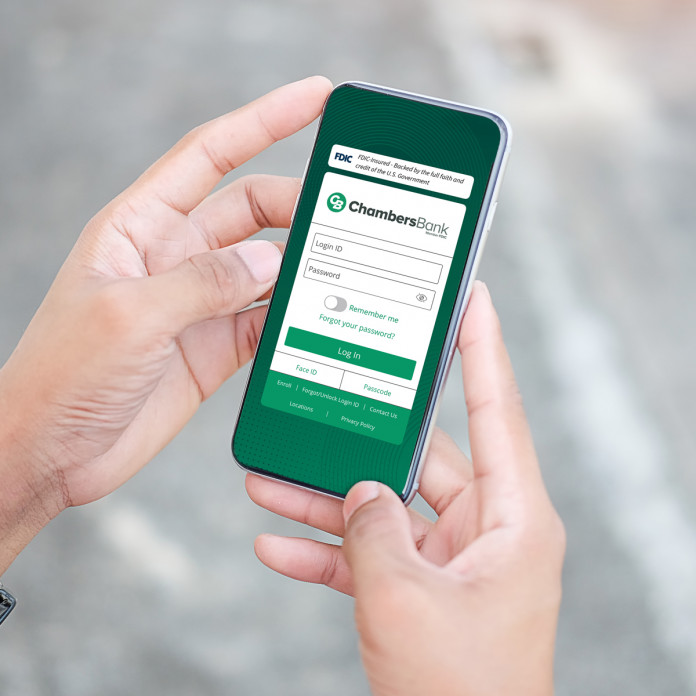
Now Available!
This feature is now available in Digital Banking! Get started by logging in and selecting Card Controls from the main menu.